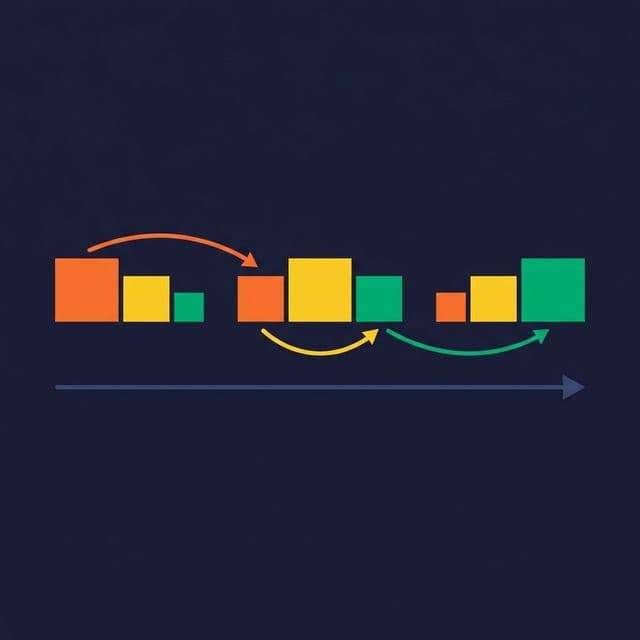
Dimensions change. A customer moves cities. A product gets reclassified. An employee changes departments. How your data model handles these changes determines whether your historical reports are accurate or misleading.
Slowly Changing Dimensions (SCDs) are design patterns for managing dimension attribute changes over time. The three most common types — overwrite, track history, and track one change — each make a different tradeoff between simplicity and historical accuracy.
Why Dimensions Change
Dimension tables store descriptive attributes: customer addresses, product categories, employee titles. These attributes don’t stay constant. A customer who was in “New York” last quarter is now in “Chicago.” A product that was in “Accessories” is now in “Electronics.”
If your fact table recorded sales tied to that customer, do last quarter’s reports show “New York” (where the customer was at the time of the sale) or “Chicago” (where the customer is now)? The answer depends on your SCD type.
Type 1: Overwrite the Old Value
Type 1 updates the dimension row in place. The old value is gone.
UPDATE dim_customers
SET city = 'Chicago'
WHERE customer_id = 1042;
After this update, every historical fact associated with customer 1042 now appears under “Chicago” — including sales that happened when the customer was in New York.
When to use Type 1:
- Correcting errors (fixing a misspelled name)
- When historical accuracy for that attribute doesn’t matter
- When the attribute rarely changes
Tradeoff: No history. If someone asks “How much revenue came from New York customers last quarter?” they get the wrong answer because customer 1042 is now labeled Chicago.
Type 2: Track Full History

Type 2 inserts a new row for each change. The original row is marked as expired, and the new row becomes the current version.
-- Original row (now expired)
-- customer_key: 1042, city: New York, effective_date: 2023-01-15, expiry_date: 2025-03-01, is_current: FALSE

-- New row
INSERT INTO dim_customers (customer_key, customer_id, city, effective_date, expiry_date, is_current)
VALUES (5001, 1042, 'Chicago', '2025-03-01', '9999-12-31', TRUE);
Now each fact row references a specific version of the customer dimension. Sales from Q1 2024 reference customer_key 1042 (New York). Sales from Q2 2025 reference customer_key 5001 (Chicago). Historical reports are accurate.
When to use Type 2:
- When historical accuracy matters (most analytics use cases)
- When you need to analyze trends by attribute value over time
- When regulatory or audit requirements demand change tracking
Tradeoff: The dimension table grows. A customer who changes city three times has three rows. Queries must filter on is_current = TRUE for current-state analysis, or join on date ranges for point-in-time analysis. This adds complexity to every query.
Surrogate keys are essential. The natural business key (customer_id = 1042) appears in multiple rows. A surrogate key (customer_key, auto-incremented) uniquely identifies each version. Fact tables reference the surrogate key, not the natural key.
Type 3: Track One Change
Type 3 adds a column for the previous value instead of adding a row.
ALTER TABLE dim_customers ADD COLUMN previous_city VARCHAR(100);

UPDATE dim_customers
SET previous_city = city, city = 'Chicago'
WHERE customer_id = 1042;
The table now has both city = 'Chicago' and previous_city = 'New York'.
When to use Type 3:
- When you need quick access to both the current and immediately prior value
- When only one level of history matters
- When the dimension changes infrequently
Tradeoff: You only track one change deep. If the customer moves again, the previous value is overwritten. Type 3 is rarely used in practice because most use cases require either no history (Type 1) or full history (Type 2).
Choosing the Right Type
| Factor | Type 1 (Overwrite) | Type 2 (New Row) | Type 3 (New Column) |
|---|---|---|---|
| History preserved | No | Full | One level |
| Dimension growth | No growth | Grows over time | No growth |
| Query complexity | Simple | Moderate (date filtering) | Simple |
| Best for | Error corrections | Trend analysis | Before/after comparison |
| Storage impact | None | Moderate | Minimal |
| Implementation effort | Low | High | Low |
Most analytics organizations use Type 2 as the default and Type 1 for error corrections. Type 3 is a niche choice for specific before/after reporting needs.
In a lakehouse environment, Iceberg’s time-travel feature provides an implicit form of historical tracking at the table level. You can query any past snapshot of a table:
SELECT * FROM dim_customers FOR SYSTEM_TIME AS OF '2024-06-15T00:00:00';This doesn’t replace SCD Type 2 (which tracks attribute-level changes with effective dates), but it provides a safety net for point-in-time analysis.
Platforms like Dremio support both approaches. SQL views can present a current-state view (filtering WHERE is_current = TRUE) or an as-of view (joining on effective dates). Wikis document which SCD type each dimension uses, giving AI agents and analysts the context they need to write correct queries.
What to Do Next
Audit your dimension tables. For each one, decide: Does historical accuracy matter for this attribute? If yes, implement Type 2. If the attribute changes rarely and history doesn’t matter, Type 1 is sufficient. Document your choice — when the next engineer encounters the dimension, they need to know whether they’re looking at current state or historical versions.